
What an AI Instagram Assistant Does Before Tuesday's Post
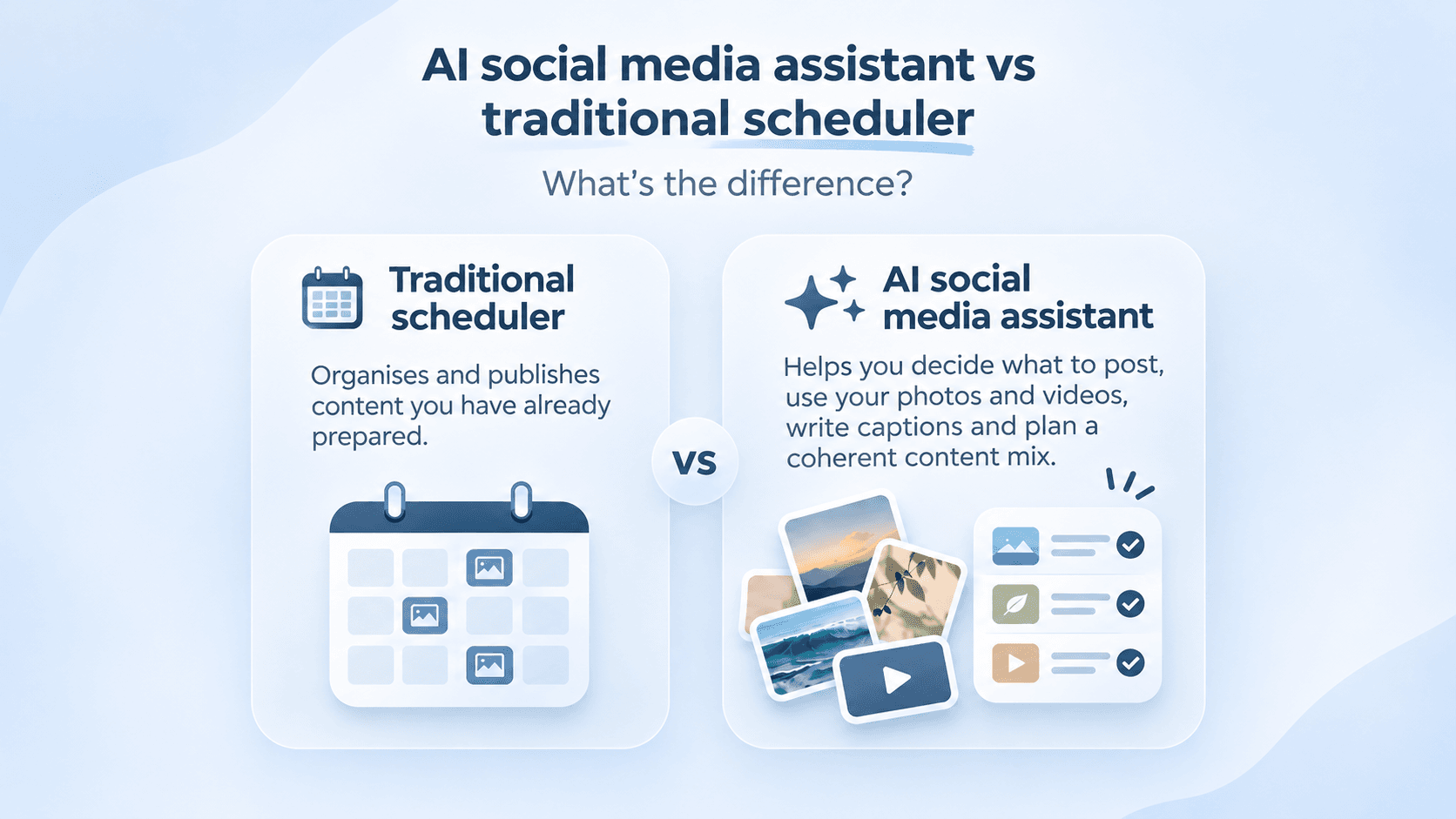
A traditional social media scheduler publishes content you have already prepared. An AI social media assistant can also help decide what to post, select suitable photos and videos, draft captions and organise content around your brand. The difference is how much work the tool handles before a post reaches the calendar.
For a small business owner, scheduling an Instagram post is rarely the most time-consuming part of the job. Finding something worth posting, choosing the right photo and writing a caption can take considerably longer. That makes the distinction between an AI social media assistant and a traditional scheduler more useful than the names suggest.
Tuesday isn't a strategy
Imagine running a small neighbourhood restaurant. You have photographs of last weekend's specials, a short video from the kitchen and a few pictures of the dining room. You know Instagram matters, but by Tuesday morning you have not decided what to post, and there are customers to serve.
A traditional scheduler can make sure your Tuesday post goes live at the time you choose. It can display your publishing calendar, store prepared posts and help you plan several weeks in advance. Buffer, for example, offers a publishing queue with options to set specific posting times, prioritise posts and organise content across multiple social channels.1 These are useful capabilities, particularly when a business is trying to establish a regular posting routine.
But the restaurant owner still needs to decide which photograph deserves attention, whether the kitchen clip could become a Reel and what customers should learn from the post. Should Tuesday feature the new lunch menu, a customer favourite or the preparation behind a signature dish? Scheduling software can organise those decisions once they have been made, but a conventional scheduling workflow generally expects somebody to supply the content and direction.
An AI social media assistant can enter the process earlier. With access to the business's own media, its brand information and its content plan, an assistant can potentially identify suitable material, suggest a useful angle and help prepare the post. Instead of starting with an empty calendar slot, the owner can start with a recommendation based on something the business already has.
This difference matters because an empty calendar and an empty content plan are separate problems. A scheduler is designed to solve the first, while a capable AI assistant should help with both. The practical benefit comes from reducing the work required to turn ordinary business activity into publishable Instagram content.
Schedulers learned to write
Calling traditional schedulers non-AI tools would be inaccurate in 2026. Buffer has an AI Assistant for generating ideas, drafting captions, rephrasing text and adapting its length or tone.2 Later offers an AI Caption Writer that can generate captions from prompts and rewrite existing text in different styles.3
Hootsuite has also moved beyond scheduling. Its AI capabilities include content generation and an assistant that can work with information from publishing calendars, analytics and social listening.4 Buffer even offers an MCP connection that allows people to use external AI assistants to draft posts, schedule content and examine performance information through Buffer.5
The boundary between scheduler and assistant is therefore becoming less about which product has AI and more about how deeply AI participates in the workflow. A scheduler with an AI caption feature can be useful when you already know what you want to say. An AI assistant with broader business context can potentially help you work out what deserves a post in the first place.
Consider three common approaches to managing Instagram content:
These categories overlap, and the differences depend on the individual product. Some scheduling platforms now offer substantial AI capabilities, while some products marketed as AI assistants do little beyond generating captions from text prompts. The label on the website is less informative than what happens when you give the product a folder of photographs and ask it to prepare next week's Instagram content.
A useful test is whether the AI understands your business without requiring you to explain everything again for each post. Does it know which products you sell, what your business looks like and which types of content fit your brand? Can it use existing photographs and footage, or does it produce a generic caption that could accompany almost any business's image?
For a business with a dedicated marketing team, this may be a smaller distinction because people already handle content selection, brand direction and campaign planning. For a salon owner, café manager or independent retailer doing their own marketing, those earlier decisions can consume most of the available time. That is where a genuinely useful AI assistant has the opportunity to make a difference.
Start with your camera roll
Small businesses often have more potential Instagram content than they realise. A hair salon may have photographs of finished styles, short clips of colouring techniques and videos showing the atmosphere inside the salon. An online fashion retailer may have product photographs, packaging videos, close-ups of materials and footage from a recent collection shoot.
The difficulty is turning that material into a coherent series of posts. A photograph taken for one purpose may still work for another, but somebody needs to recognise the opportunity. That requires understanding what is in the image, why it might interest customers and how it fits alongside previous content.
For an AI assistant, the media library can become useful input rather than a collection of files waiting to be manually uploaded. A system that analyses visual content could identify suitable photographs, recommend combinations for carousels, suggest possible video openings and match assets to planned topics. These capabilities depend on the product, and should be tested rather than assumed from an AI label.
This is the approach behind Asteris.ai's Instagram content platform. It works from a business's own photographs and videos, using its brand identity and voice to help create and plan content. The aim is to make more use of material the business already owns, rather than generating stock-style images of products, people or premises that may not represent the actual business.
There is a practical branding argument for this approach. A customer considering a restaurant wants to see the food they might be served, while someone choosing a hair salon benefits from seeing examples of the team's work. Generating a beautiful image is relatively easy with modern AI tools, but a beautiful image of something the business cannot actually deliver may set the wrong expectations.
Original content also matters to Instagram's broader direction. In January 2026, Meta reported that 75% of Instagram recommendations in the United States were coming from original posts, following an increase during the final quarter of 2025.6 This does not establish that every AI-generated image will perform poorly, or that original business photography automatically receives more reach.
The stronger argument is about recognition and accuracy. Customers should be able to connect what they see on Instagram with the product, service or experience they will receive. An AI assistant that makes existing media easier to use can support that consistency without requiring a business to commission an entirely new collection of marketing assets every week.
The format follows the job
Publishing regularly is useful, but different Instagram formats serve different purposes. A Reel introducing a new product to potential customers is doing a different job from a carousel explaining its features. A photograph showing tonight's restaurant special has a different purpose from a video introducing the chef who prepares it.
Buffer's 2026 State of Social Media Engagement report illustrates why treating every post the same way is a mistake. Its Instagram analysis found that Reels achieved 36% more reach than carousels in one study, while carousels generated stronger engagement relative to reach.7 The report draws on Buffer-published content, so these findings are useful directional evidence rather than guarantees for any individual account.
An Instagram strategy needs to account for those differences. A restaurant might use a short Reel to reach people who have never visited, then a carousel to help existing followers choose what to order. A beauty salon could use a transformation video for discovery and a carousel explaining aftercare to provide something customers might save.
A scheduler can publish all those formats and may provide analytics or recommended publishing times. The opportunity for an AI assistant is to connect the format decision with the actual content available and the business's objective. It should be able to suggest a Reel because suitable footage exists and discovery is the goal, rather than recommending video simply because Reels are popular.
There is another consideration: more content does not automatically mean better content. AI makes it possible to generate large quantities of captions, images and posting ideas at relatively little cost. But a calendar filled with similar-looking promotional posts can give followers fewer reasons to pay attention, even when every post is delivered on schedule.
Sprout Social's 2026 Social Media Content Strategy Report, based on research involving more than 2,300 consumers and 1,200 marketers, found that consumers want brands to prioritise human-generated content.8 That supports using AI for the work around content, such as finding, editing, organising and analysing it, without assuming that every visual or idea should be generated from scratch. A business's own expertise, staff, products and customer experience remain valuable sources of material.
Instagram itself provides guidance through its Best Practices feature in the professional dashboard, covering creation, engagement, reach and other aspects of account performance.9 An assistant can make recommendations informed by such guidance, but it should also be able to explain why a particular post suits the business. Advice that cannot be connected to the business's content, audience or objectives deserves some scepticism.
Test the actual workflow
The easiest way to compare an AI assistant with a scheduler is to give both the same practical task. Choose 15 existing photographs and videos from your business, including a few that you have never posted. Then ask each tool, using its available features, to help produce a balanced week of Instagram content.
For a traditional scheduler, you will probably select the assets, decide the post topics, write or supply the captions and place the finished posts into the calendar. If the scheduler includes AI writing tools, use them. This gives the product a fair opportunity to demonstrate what its current features can do.
For an AI assistant, begin with the same material and provide the relevant brand information. Ask it to recommend which assets to use, how the posts should differ, what captions fit and which content should be published first. Keep track of how much manual intervention is required to produce results that you would genuinely publish.
There are several useful things to examine during the exercise:
Do not measure the winner by the number of posts generated in a few seconds. A tool that produces 30 generic captions may require more editing than one that prepares five thoughtful posts using material you already have. The relevant measurement is how much time it takes to produce a week's worth of content that is accurate, recognisable and worth publishing.
It is also worth paying attention to what happens the following week. Does the assistant retain the relevant brand context, reuse information appropriately and help avoid unnecessary repetition? Can you change the plan when a product sells out, an appointment slot opens or a new menu arrives?
Small businesses rarely operate according to a perfectly predictable marketing calendar. Their Instagram content needs to accommodate real events, changing availability and new material as it appears. An effective assistant should make those adjustments easier without making the owner rebuild the entire content plan.
Choose where you need help
A traditional scheduler remains a sensible choice if you already know what to publish. A business with a reliable supply of finished content, a clear marketing strategy and someone to prepare posts may find that a good calendar, publishing queue and analytics are enough. Paying for additional AI features makes little sense unless they remove work that the business actually needs help with.
An AI assistant becomes more interesting when the calendar is only the final stage of a larger problem. If your photographs are scattered across folders, your captions take too long to write and every week begins with another search for post ideas, you need help earlier in the process. The value comes from connecting the material you already have with the content you need to publish.
Neither type of tool can replace knowing what is happening inside your business. Staff still need to capture real moments, owners need to decide what they want customers to understand and somebody must check that the finished content is accurate. Those responsibilities remain even when software becomes more capable.
The useful outcome is a business that can maintain an Instagram presence without treating every post as a new creative project. Scheduling gets the post onto the platform, while a capable assistant can help make the decisions that get it ready. For a small business with limited time, that earlier help may be the more valuable part.
Sources
Footnotes
Buffer's documentation on creating, organising and scheduling posts, Buffer Help Center↩
Buffer AI Assistant features for idea generation and caption writing, Buffer Help Center↩
Later's AI caption generation and rewriting features, Later Help Center↩
Meta's January 2026 update on original content in Instagram recommendations, Meta Newsroom↩
Consumer preferences for social media content in 2026, Sprout Social↩
Instagram's Best Practices guidance for creators and professional accounts, Meta Newsroom↩